
Administrator
System Administrator
305
Posts
1,202
Likes
Achievements
VIP ClubFamousRegularFirst StepContributorLikedPopularNewcomerLoyal
Thread Post
Dec 15, 2025
at
11:17 PM
An open-source APK explorer/Editor & Split APK/App bundle Installer for Android!
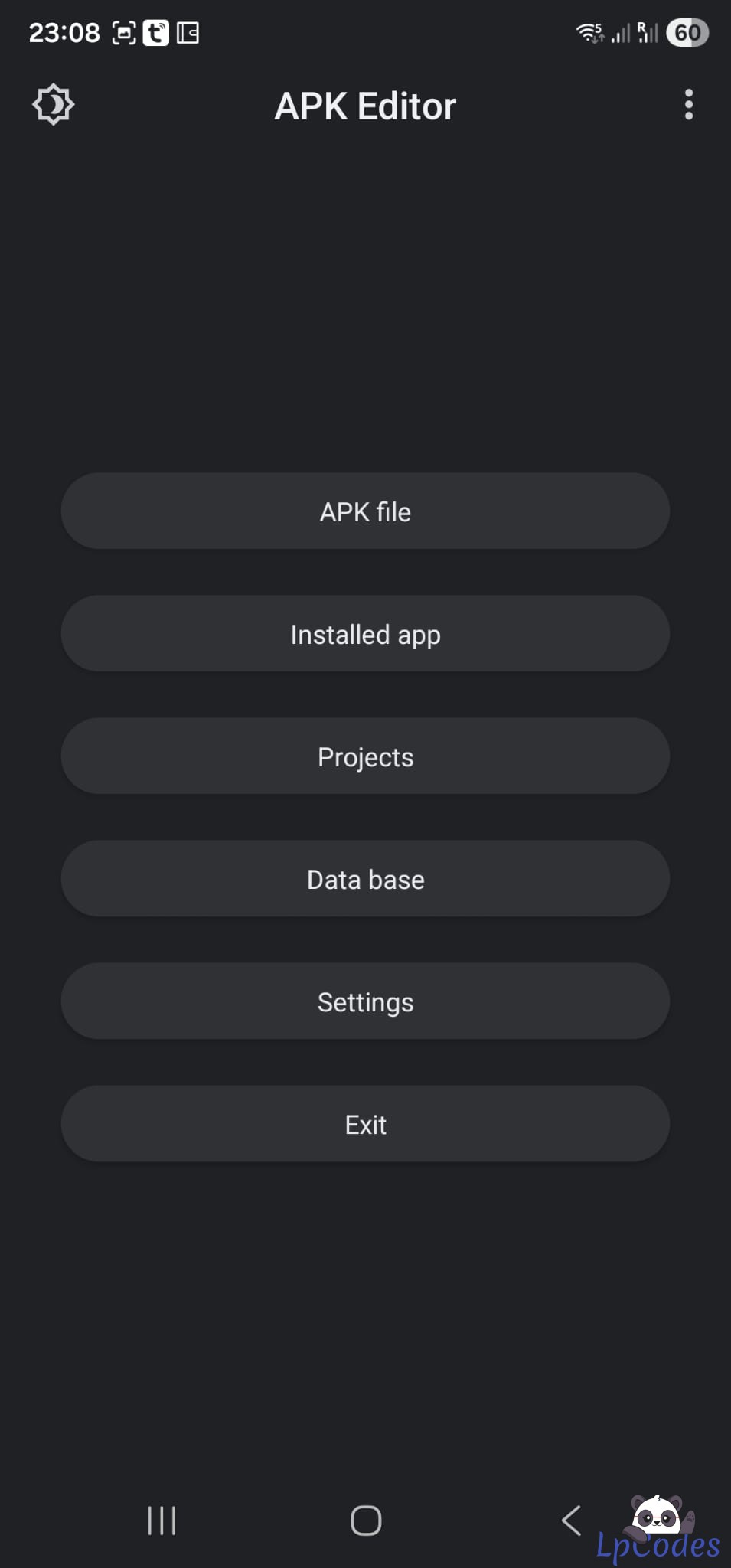
First, install the app you want to edit on your phone. Once it’s installed, open the APK editor and tap on “Installed Apps.”
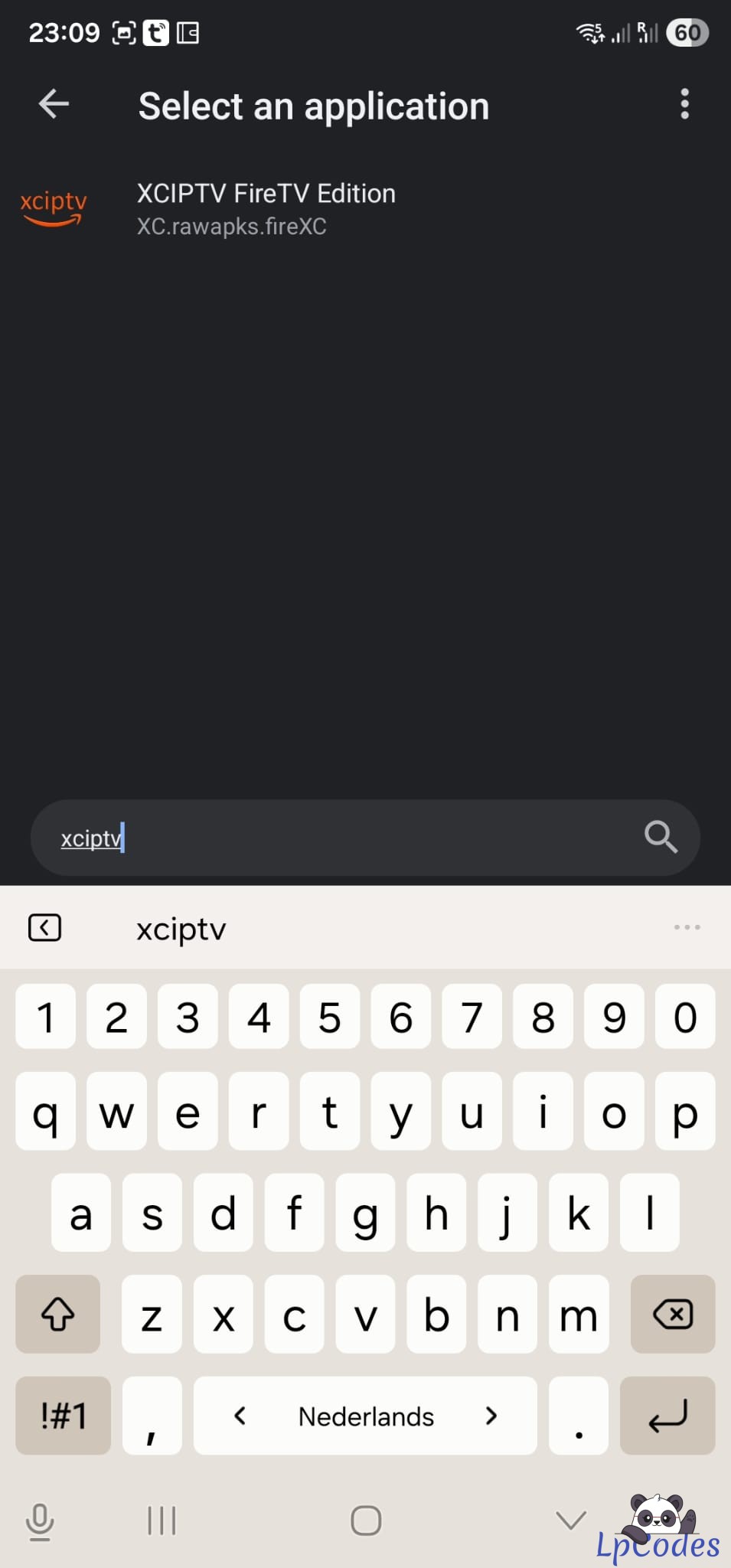
On this screen, find the app you want to edit. You can type its name—entering just part of the name is fine and will still show relevant results. when you find it the click on it.
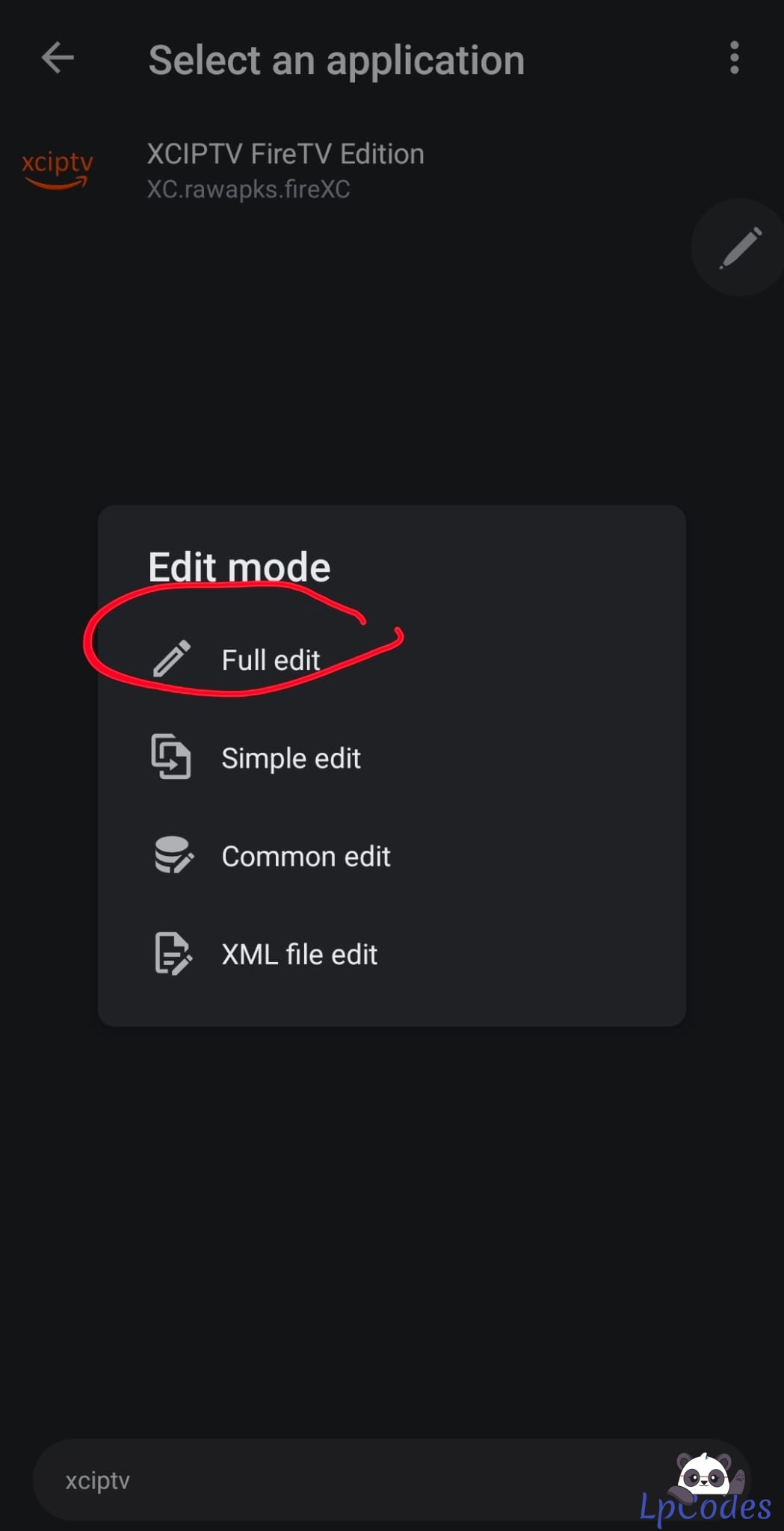
Click ON "Full edit": for editing portals and changing any urls
Click on Files
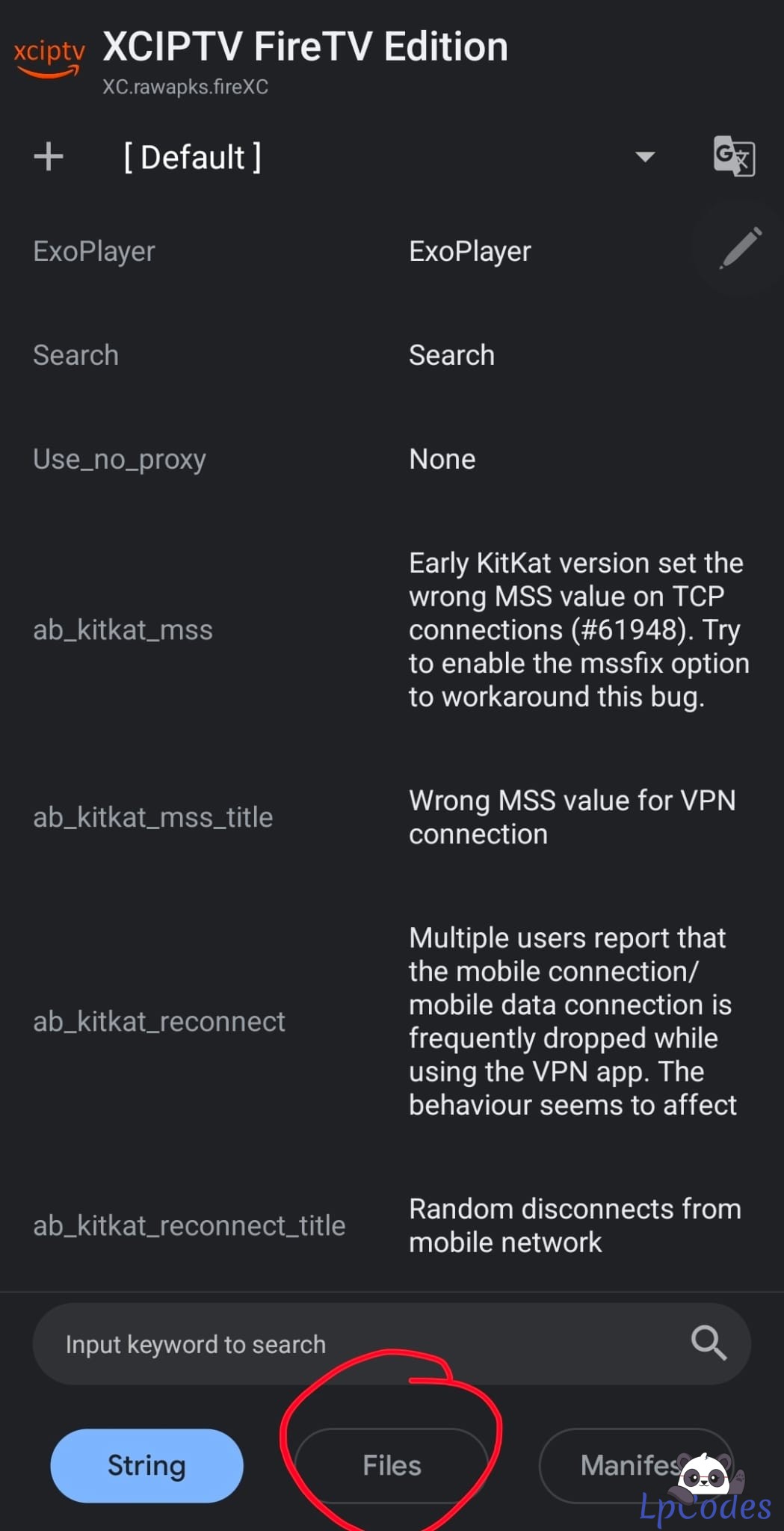
Click on Smali to decode the files
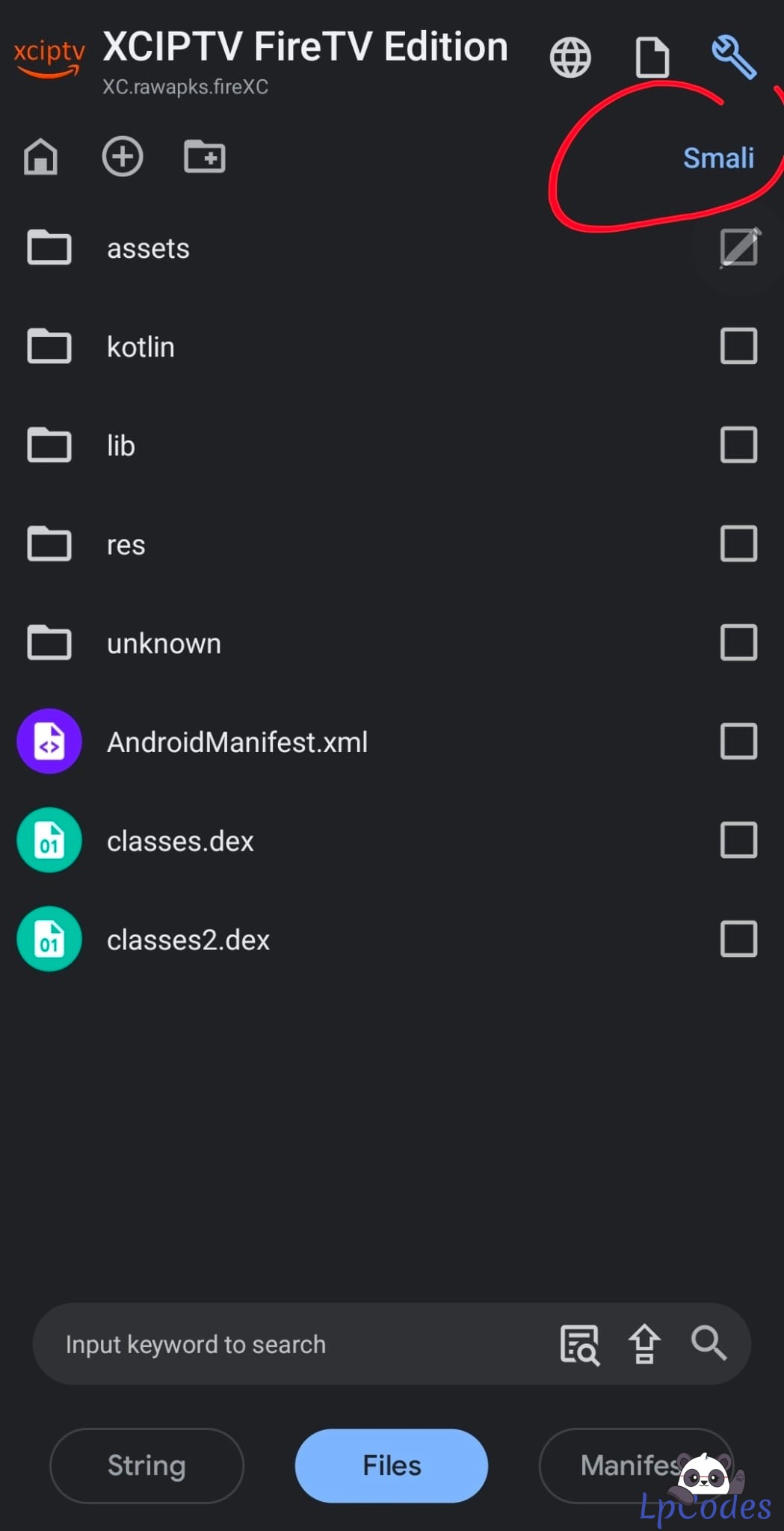
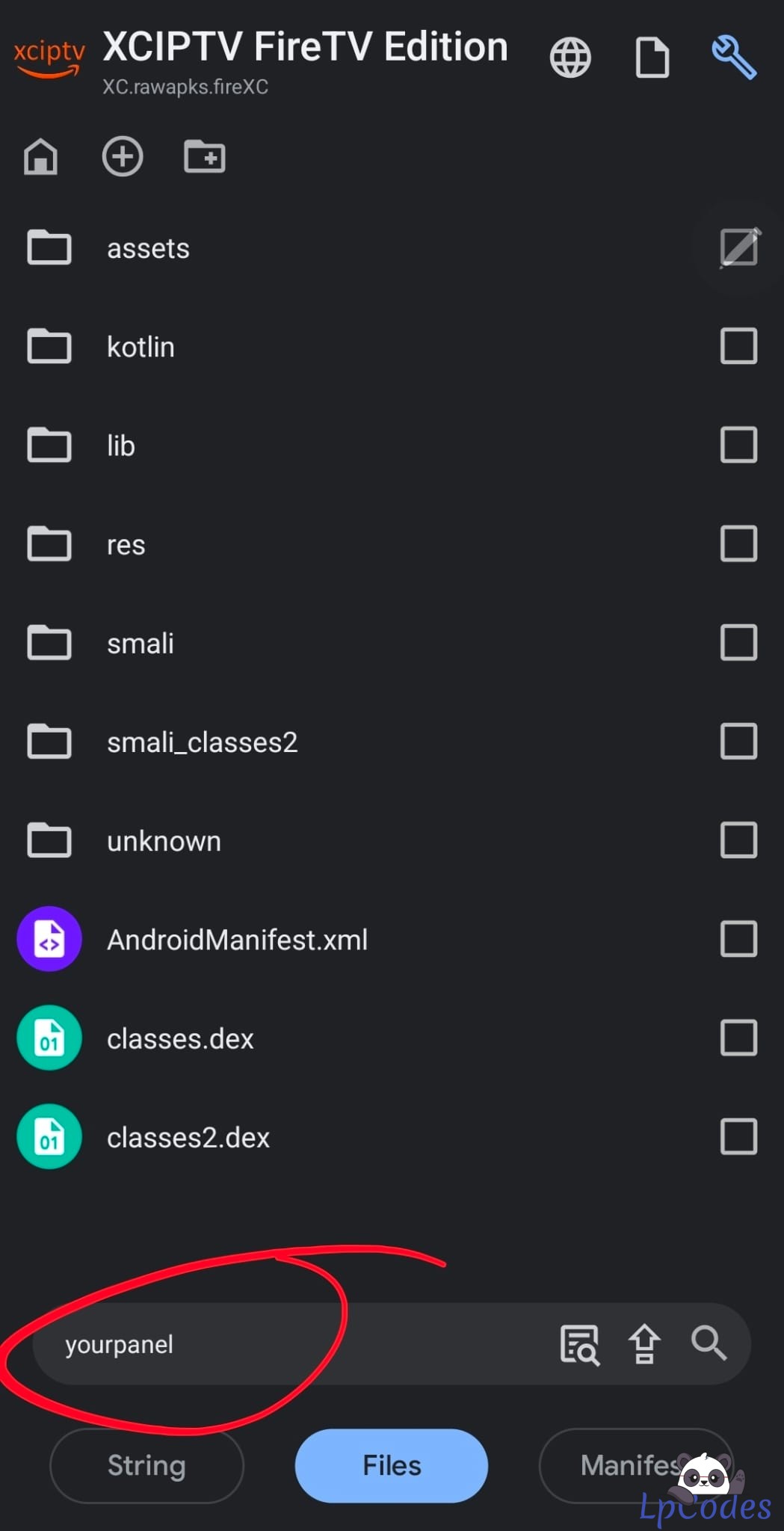
Now use the search function to find what you need to edit. Once you’ve made your changes, click “Save.”
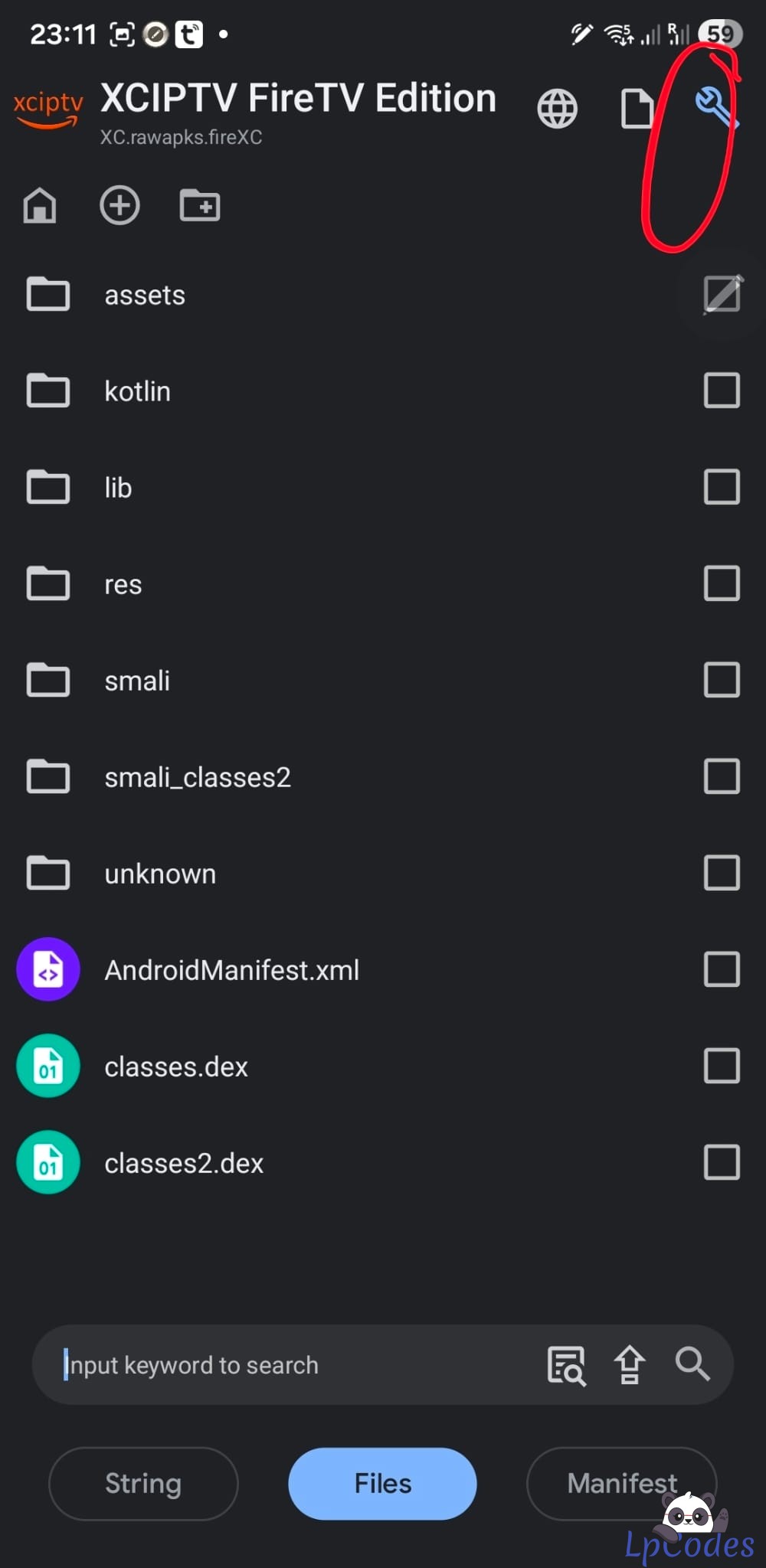
To compile the APK, press the button in the top-right corner.
Download the APK
if youn still have no clue see this video:
First, install the app you want to edit on your phone. Once it’s installed, open the APK editor and tap on “Installed Apps.”
On this screen, find the app you want to edit. You can type its name—entering just part of the name is fine and will still show relevant results. when you find it the click on it.
Click ON "Full edit": for editing portals and changing any urls
Click on Files
Click on Smali to decode the files
Now use the search function to find what you need to edit. Once you’ve made your changes, click “Save.”
To compile the APK, press the button in the top-right corner.
Download the APK
if youn still have no clue see this video:
🔥 Welcome to the Ultimate IPTV Community! 🔥
🔥 LpCodes Scripts - The #1 Place for IPTV Enthusiasts! 🔥
📢 Follow the Rules & Stay in the Game! 🚀
🔥 LpCodes Scripts - The #1 Place for IPTV Enthusiasts! 🔥
📢 Follow the Rules & Stay in the Game! 🚀
👍
Scorpione, dooks, Fuzepper and 22 others

Similar Threads
10 months ago
715
10 months ago
583
9 months ago
520
9 months ago
495
7 months ago
402