
7 days ago
144 views

119
Posts
221
Likes
Achievements
Annual Supporter3-Month SupporterVIP ClubContributorPopularLikedRegularNewcomerFirst Step
Where it all starts
Original post
Sharing Best Store, a simple app store you can run using your own hosting and your own APK links. It is designed for Android phones, Android TV, Google TV, and compatible Android boxes running Android 6.0 or newer.
Includes a signed APK, PHP panel, source code, logo, and setup instructions. Features include app icons, categories, search, TV remote navigation, app details, download progress, and Android installation. No database, customer accounts, activation, or subscription system is required.
SETUP
1. Extract the download ZIP on your computer.
2. Upload Best-Store-Panel.zip to your PHP hosting and extract it into a folder such as public_html/beststore. The folder should directly contain index.php, api.php, config.php, and data.
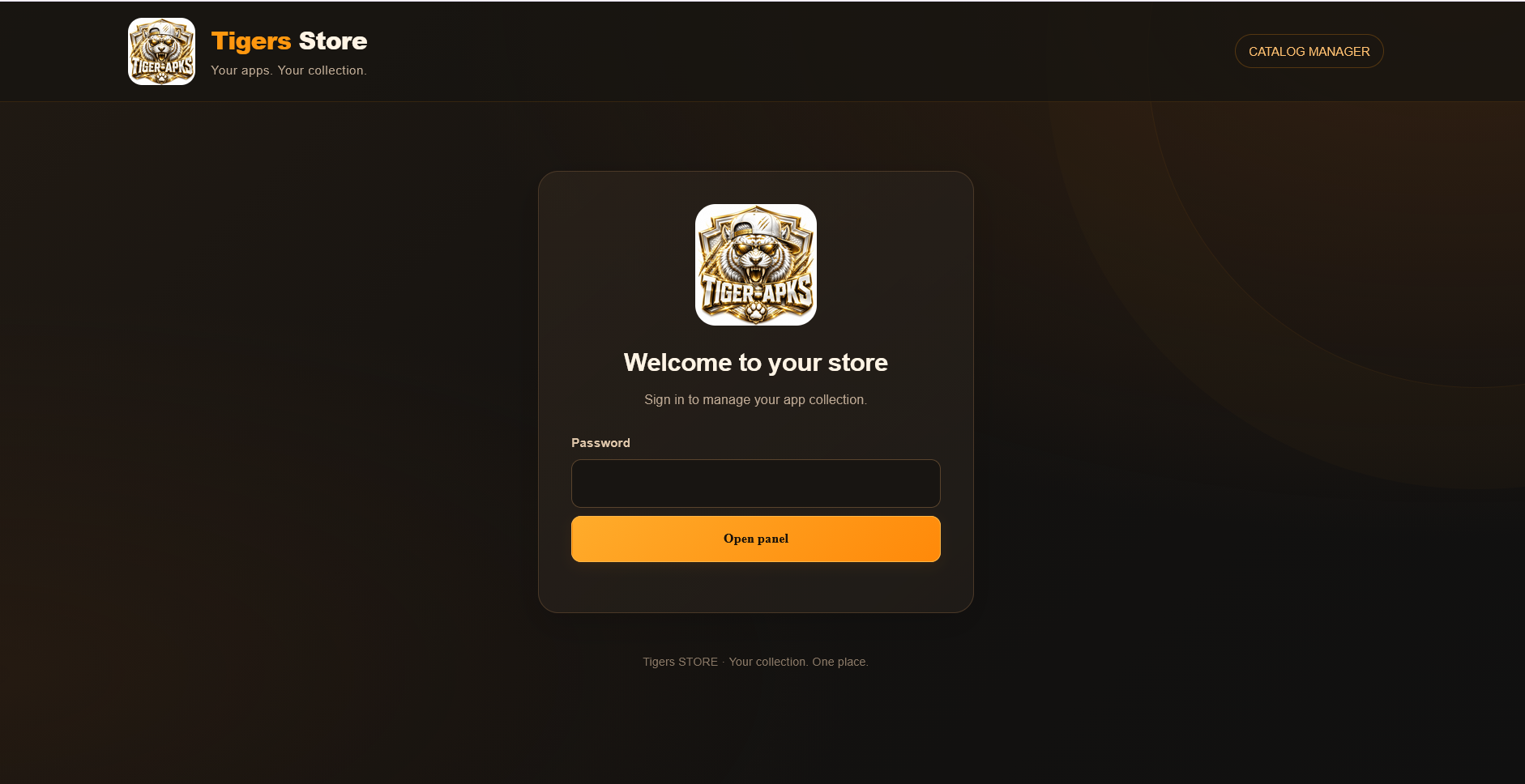
3. Open https://yourdomain.com/beststore/ and log in with beststore123. Change ADMIN_PASSWORD in config.php to your own password.
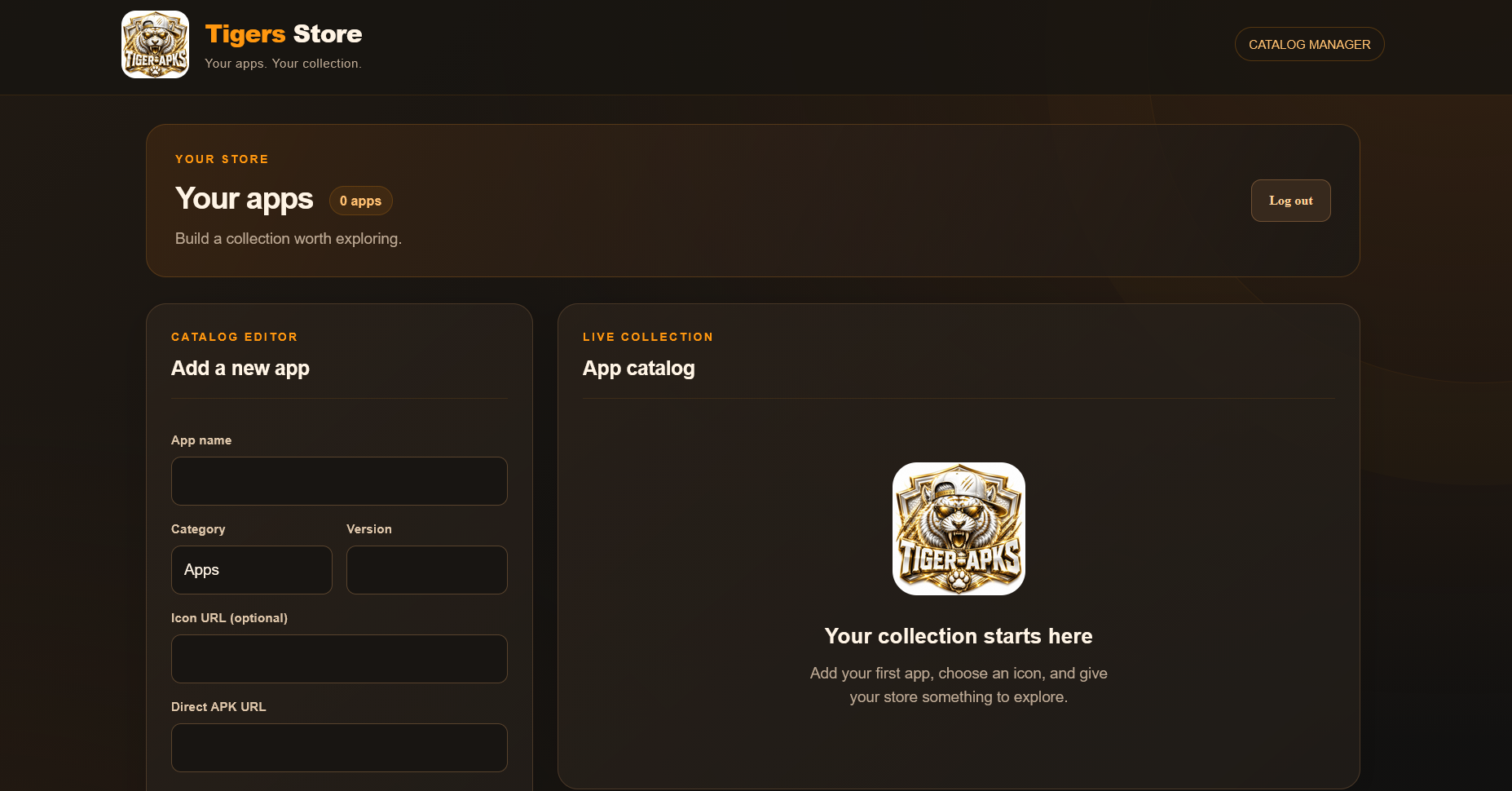
4. Add your apps through the panel. Enter the app name, category, version, description, optional icon URL, and direct APK download URL. Upload APK files through your hosting File Manager or host them elsewhere, then paste their direct links into the panel.
5. Install Best-Store-v1.2.0.apk. On a phone, press and hold the Best Store logo. On a TV, focus the logo and hold OK. Enter your panel folder URL, for example search for https://yourhost.com/beststore and replace with https://yourdomain.com/beststore/, and save.
6. Press Refresh to load your own catalog. Android may ask you to allow Best Store to install unknown apps before installing an app.
There is no Panel URL button on the homepage. The URL setting is accessed by holding the logo. Use the hosting folder URL with a trailing slash, without index.php or api.php. No APK editing is needed for this setup.
also change panel here: PRE CONFIGURE YOUR OWN APK
If you want to distribute an APK already connected to your panel, edit assets/panel-url.txt inside the APK, then rebuild and re-sign it. In the included source, the file is android/app/src/main/assets/panel-url.txt. Keep the same signing key for your future updates. An APK re-signed with a different key cannot update the original installed copy.
Build and signature checks passed
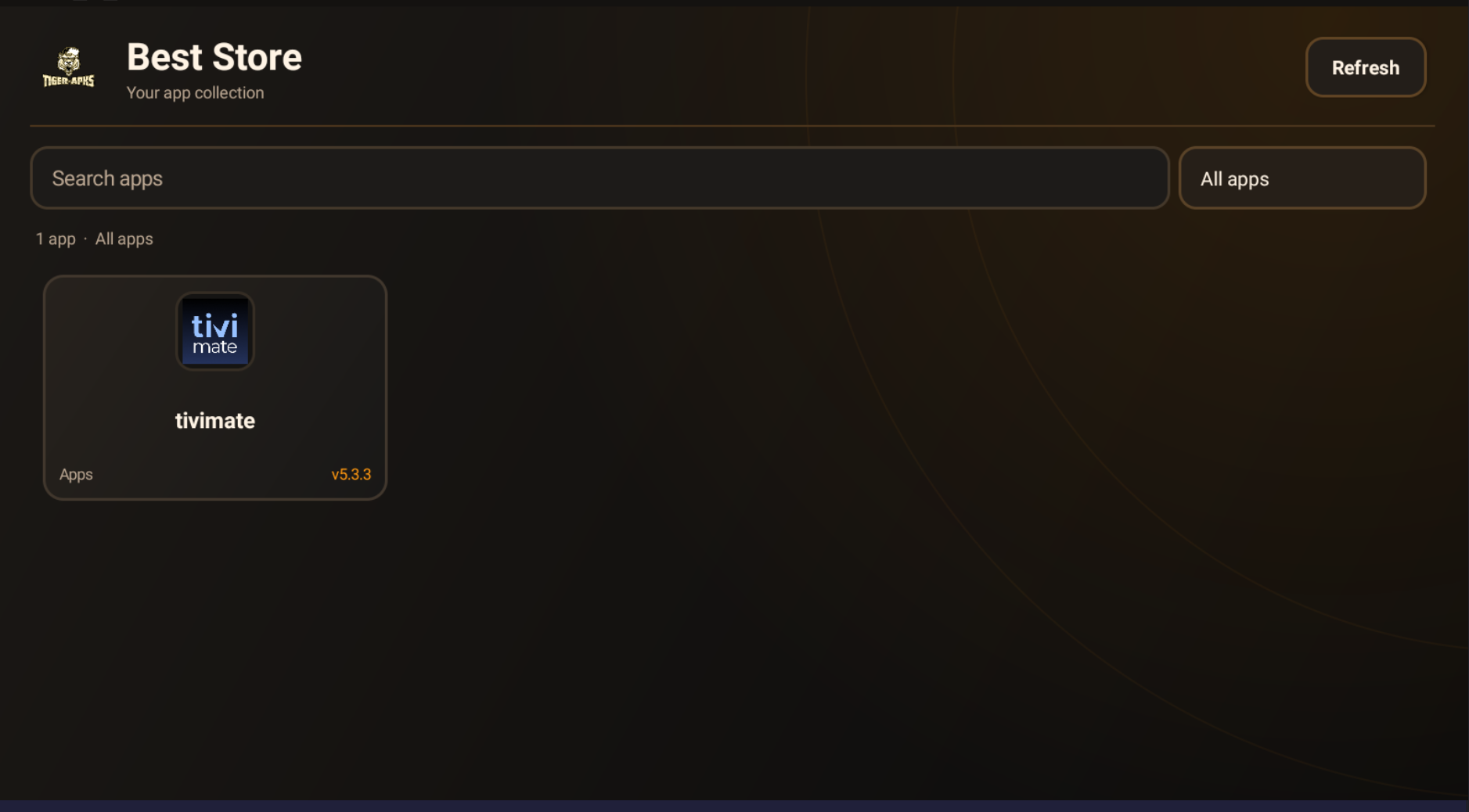
Includes a signed APK, PHP panel, source code, logo, and setup instructions. Features include app icons, categories, search, TV remote navigation, app details, download progress, and Android installation. No database, customer accounts, activation, or subscription system is required.
SETUP
1. Extract the download ZIP on your computer.
2. Upload Best-Store-Panel.zip to your PHP hosting and extract it into a folder such as public_html/beststore. The folder should directly contain index.php, api.php, config.php, and data.
3. Open https://yourdomain.com/beststore/ and log in with beststore123. Change ADMIN_PASSWORD in config.php to your own password.
4. Add your apps through the panel. Enter the app name, category, version, description, optional icon URL, and direct APK download URL. Upload APK files through your hosting File Manager or host them elsewhere, then paste their direct links into the panel.
5. Install Best-Store-v1.2.0.apk. On a phone, press and hold the Best Store logo. On a TV, focus the logo and hold OK. Enter your panel folder URL, for example search for https://yourhost.com/beststore and replace with https://yourdomain.com/beststore/, and save.
6. Press Refresh to load your own catalog. Android may ask you to allow Best Store to install unknown apps before installing an app.
There is no Panel URL button on the homepage. The URL setting is accessed by holding the logo. Use the hosting folder URL with a trailing slash, without index.php or api.php. No APK editing is needed for this setup.
also change panel here: PRE CONFIGURE YOUR OWN APK
If you want to distribute an APK already connected to your panel, edit assets/panel-url.txt inside the APK, then rebuild and re-sign it. In the included source, the file is android/app/src/main/assets/panel-url.txt. Keep the same signing key for your future updates. An APK re-signed with a different key cannot update the original installed copy.
Build and signature checks passed
Similar Threads
11 months ago
1,797
11 months ago
1,953
11 months ago
1,789
11 months ago
3,528
11 months ago
1,751